
What Flexible Workspace Solutions Do I Need to Expand My Small Business in 2026?
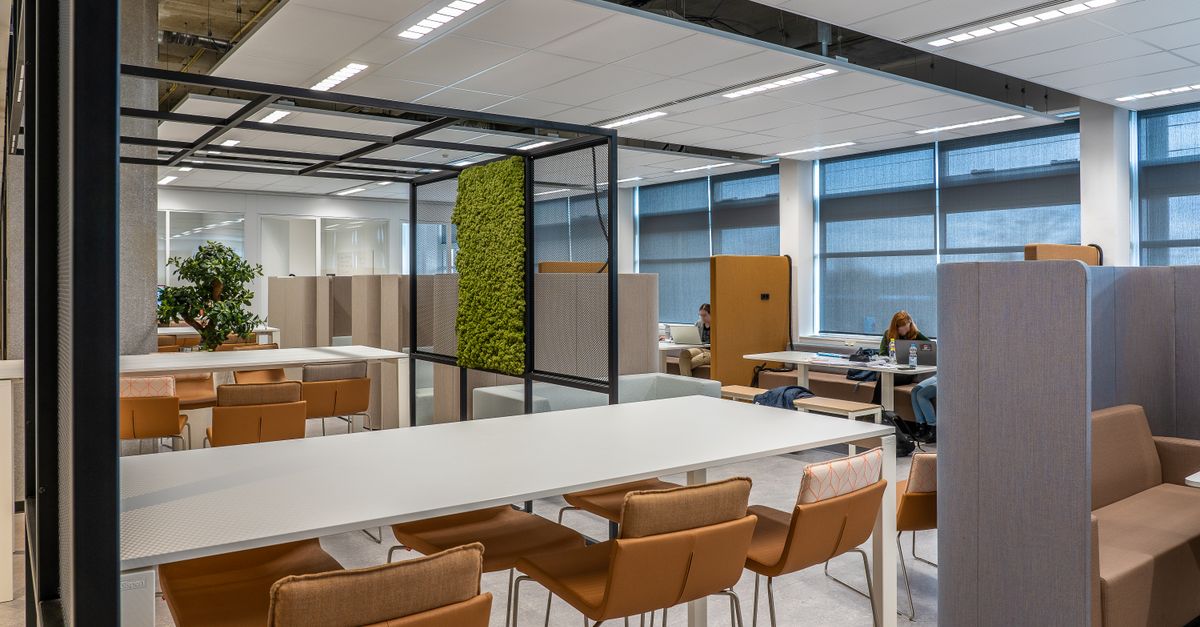
Choosing the right workspace setup is more than picking a desk; it’s about creating an environment that fuels growth, supports remote teams, and keeps overhead low. As an entrepreneur who has launched dozens of ventures, I’ve seen how the wrong office choice can stall progress or inflate costs unnecessarily.
1. Understanding the Basics of Flexible Workspaces
A flexible workspace isn’t a single model; it’s a spectrum that ranges from shared desks to fully private suites. The key is aligning the type with your team size, workflow, and expansion goals.
Common Workspace Models
- Hot‑Desk Co‑Working: Pay per day or month; great for freelancers or small teams that don’t need a dedicated space.
- Dedicat‑ed Desk Spaces: Reserved desks in a shared building; you get the privacy of a seat without owning an office.
- Private Offices: A room or suite within a coworking complex; ideal when you need confidentiality and a consistent environment.
- Hybrid Models: Combine a physical office with virtual office services, giving you flexibility for travel and remote work.
This foundational knowledge helps me decide which model fits my current phase. For instance, when I first launched a SaaS startup, I began with a hot‑desk plan to keep costs minimal while testing product-market fit.
Beyond the basic categories, you should evaluate each option against a set of criteria that directly impact your business trajectory:
- Scalability: Can the model grow with you without a sudden spike in costs or logistical headaches?
- Cost‑Per‑Seat Breakdown: Look beyond the headline price; factor in utilities, meeting room credits, and IT support.
- Tech Infrastructure: Does the space provide high‑speed Wi‑Fi, dedicated bandwidth, or 5G connectivity that your team demands?
- Cultural Fit: A vibrant coworking community can fuel creativity, while a private suite may better serve client-facing roles requiring discretion.
Creating a decision matrix that scores each model on these factors allows you to objectively choose the best fit for both current and future needs. When a company’s revenue doubles, this matrix quickly shows whether adding another private office or simply expanding within an existing shared space is more cost‑effective.
2. The Value of Affordable Virtual Offices for Remote Teams
Virtual offices provide a professional address, mail handling, and sometimes meeting rooms without the real estate burden. When scaling a business that relies on remote talent, these services can become indispensable.
Key Features to Evaluate
- Professional Business Address: Enhances credibility for clients in key markets.
- Mail Scanning & Forwarding: Digital copies of physical mail that can be emailed or stored securely.
- Phone Reception Services: Dedicated lines, call routing, and voicemail transcription.
Hourly bookings in high‑end venues when face‑to‑face meetings are required. Concierge services for travel booking, IT help, or reception duties.
In my experience, the biggest win comes from combining a virtual office with flexible workspace solutions to give my team both a sense of belonging and the freedom to work from anywhere.
Integrating Business Mail Scanning into Your Virtual Office Strategy
Physical mail can still be critical for legal documents, invoices, or client contracts. A robust scanning service turns paper into searchable digital assets, reducing clutter and improving compliance.
Benefits of Digital Mail Management
- Instant Access: Scan results appear in your cloud folder within minutes.
- Searchability: OCR (optical character recognition) allows keyword searches across documents.
- Secure Storage: Encrypted archives that meet industry standards.
- Integration: Seamless connection with accounting or CRM systems for automated workflows.
This capability is especially useful when my company expanded into new regions; we could keep all legal paperwork in one place without shipping physical documents back and forth.
When to Upgrade Your Virtual Office Tier
If your mail volume spikes or you begin hosting frequent video conferences with international partners, it’s time to revisit the plan. A higher tier often includes unlimited scanning minutes, priority support, and additional meeting room credits—features that can prevent bottlenecks when scaling.
Cost Comparison: Virtual Office vs. Physical Lease
While a virtual office can cost as little as $50 per month for basic services, a small leased office in an urban center often starts at $2,000 monthly. When you factor in utilities, cleaning, and maintenance, the difference widens dramatically. The ROI becomes clear: you pay only for what you use while maintaining a professional presence.
Legal Compliance and Security
Data privacy laws such as GDPR or CCPA require that mail scanning services handle documents with encryption and retention policies. Ensure your provider offers signed Service Level Agreements (SLAs) that outline data handling procedures, breach notification timelines, and audit rights. This protects you from costly compliance violations when expanding into new jurisdictions.
3. Choosing the Right Business Expansion Tools to Pair With Your Workspace
A flexible office alone won’t drive growth; you need complementary tools that streamline operations, enhance communication, and scale with your business. Below are categories of software that pair well with modern workspace solutions.
Essential Expansion Tool Categories
- Project Management: Asana, Trello, or Monday.com to keep tasks visible across teams.
- Customer Relationship Management (CRM): HubSpot or Salesforce for managing leads and client interactions.
- Automation & Integration Platforms: Zapier, Integromat, or n8n to connect disparate apps without code.
- Financial Software: QuickBooks Online or Xero for accounting that syncs with your virtual mail system.
- Collaboration Suites: Slack, Microsoft Teams, or Google Workspace for real‑time communication.
When I moved from a single‑person operation to a team of twenty, the transition was smooth because we had already mapped our processes onto these tools. That eliminated many onboarding headaches.
Tool Selection Checklist
- Integration Needs: Does the tool integrate with your current stack (e.g., CRM ↔ accounting)?
- User Capacity: Can it handle 50+ concurrent users without performance drops?
- Mobile Accessibility: Remote team members rely on mobile apps for real‑time updates.
- Customization Options: Tailor fields, workflows, and dashboards to match your unique processes.
- Support & Training: Vendor should offer live support, knowledge bases, and onboarding webinars.
Onboarding Strategy for New Tools
Introduce new software in phased rollouts: start with a pilot group, gather feedback, then expand. Pair training sessions with real‑world scenarios—like setting up a marketing campaign in the CRM—to accelerate adoption. Document best practices and maintain an internal wiki so knowledge stays within the team.
4. Entrepreneurial Office Solutions: Building a Sustainable Home Base
Not every entrepreneur needs or can afford a commercial office. A well‑designed home office can be just as productive, especially when combined with flexible workspace perks.
Home Office Essentials for Productivity
Prevents posture strain during long coding sessions. Headphones or acoustic panels for focus in a busy household. Clear visual boundaries between work and personal life. Keeps wires tidy and reduces hazards.
In my experience, the first thing I did after relocating to the suburbs was set up a dedicated room with a 4K monitor and dual‑monitor setup. That small investment paid off in reduced eye strain and faster code reviews.
Enhancing Home Office with Smart Tech
Investing in a programmable lighting system that mimics natural daylight can reduce eye fatigue, while a smart thermostat keeps the room at an optimal temperature regardless of external weather. Adding a high‑quality webcam and microphone combo improves video conference quality—critical when your team is distributed worldwide.
Security Measures for Remote Work from Home
A VPN that encrypts all traffic, multi‑factor authentication (MFA) on every service, and an endpoint management solution to monitor device health are non-negotiable. When onboarding new hires, enforce a BYOD policy that requires company-approved antivirus software and regular security training.
Blending Home Office with Coworking Perks
Many coworking providers offer “day passes” or “hot‑desk credits” for home-based entrepreneurs who need occasional face‑to‑face interaction. Use these slots for client meetings, networking events, or simply to break the isolation that sometimes accompanies remote work.
Common Mistakes When Scaling Workspace Options
Even seasoned founders stumble when expanding office infrastructure. Avoiding these pitfalls can save time, money, and headaches.
Top Five Pitfalls to Watch For
- Underestimating Connectivity Needs: Remote teams require reliable VPNs; neglecting this leads to frustrated developers.
- Choosing the Wrong Virtual Office Tier: Opt for a plan that matches your mail volume and call traffic.
- Lack of Standardized Policies: Without clear guidelines, flexible work can turn into chaos.
- Over‑Investing in Physical Space Too Early: Wait until revenue metrics justify the overhead.
- Ignoring Security Protocols: Data breaches cost more than a new office lease.
By addressing these issues upfront, I kept my startups lean and scalable. For example, when we added a remote design team, we invested in a secure VPN and updated our privacy policy before onboarding anyone.
Measuring Success Metrics
- Cost per Employee: Track how workspace expenses correlate with revenue per head.
- Employee Satisfaction Scores: Regular pulse surveys reveal if the environment supports productivity.
- Client Feedback on Meeting Quality: Poor audio/video can erode trust faster than a cramped office can hurt morale.
In my experience, the biggest growth driver isn’t the size of the office but how well every component—space, tech, and process—aligns to support your team’s productivity and your company’s vision. Start by assessing your current needs, then layer in the tools and services that complement each other. This integrated approach keeps overhead low while unlocking new revenue streams.
Ask a practical question that invites useful discussion: What are the most critical factors you consider when choosing between a hot‑desk coworking space and a dedicated office for your growing team?


